One step at a time
The runner shows a single step, big and calm, with a time bar you can actually feel. No lists shouting at you mid-task.
Up next
Shower
about 6 minutes left
DoneNot today
Built for busy minds · iPhone, iPad & Mac
RoutineAnchor turns a blurry day into a few small routines — run one step at a time with a timer you can feel, and build momentum that never resets to zero. No streaks. No red Xs. Zero guilt.
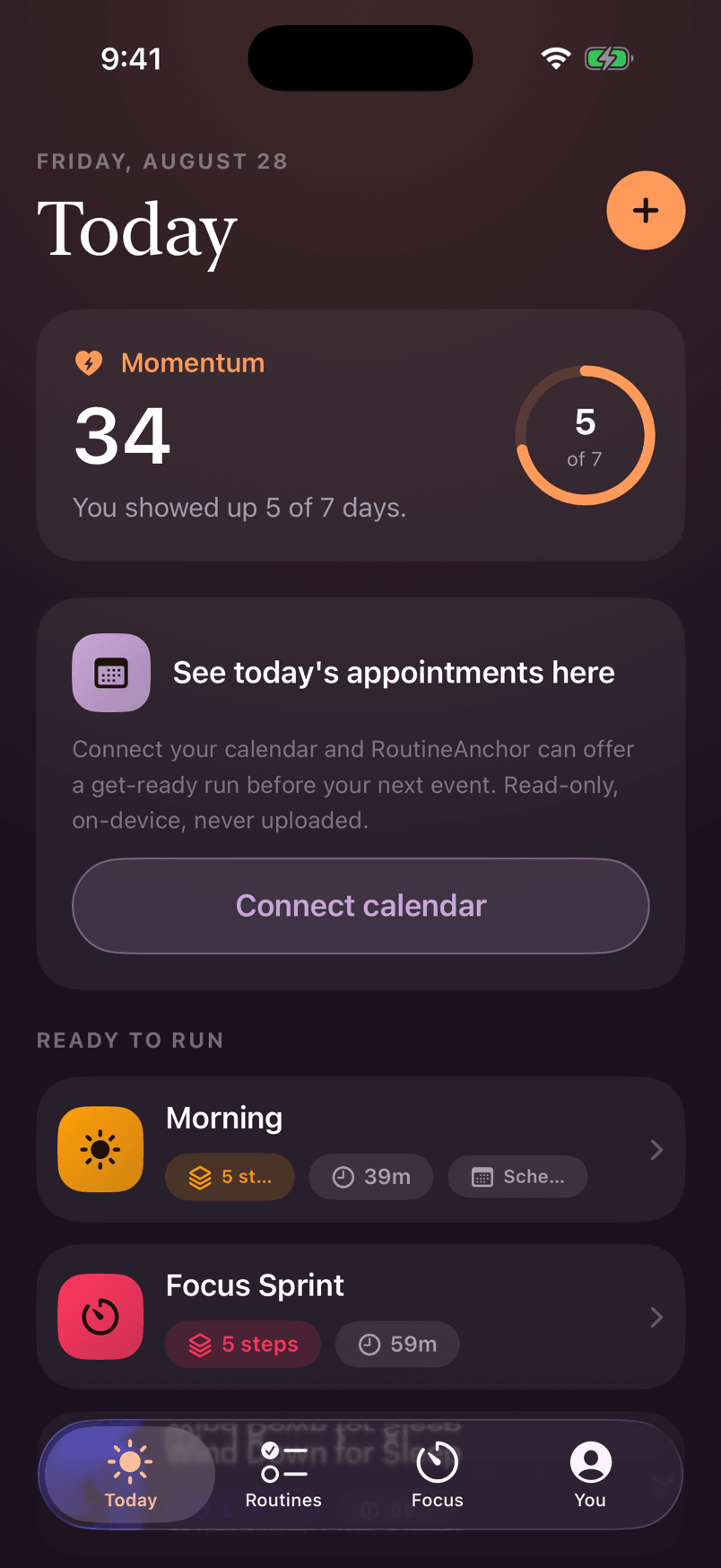
30 ready-made templates, one tap away
The one rule
Zero guilt.
Momentum over streaks.
Kindness over pressure.
Every screen, sentence, and sound in RoutineAnchor is reviewed against it. If something could make a hard day feel judged, it gets rewritten.
Built different, on purpose
Rigid habit trackers punish you with broken streaks and red Xs. RoutineAnchor does the opposite — every feature starts from a real overwhelming moment and meets it kindly.
The runner shows a single step, big and calm, with a time bar you can actually feel. No lists shouting at you mid-task.
Up next
Shower
about 6 minutes left
Auto-compression quietly trims the remaining steps to fit the time you have left — a slow morning still gets you out the door. Fixed steps like meds never get squeezed.
Running a little behind — I’ve trimmed the rest to fit.
Every time you show up, it counts. Momentum dips gently on quiet days and tops back up the moment you return — it never resets to zero.
You showed up 5 of 7 days.
Never “0”. Never a red X.
Want it? Park it first. It cools for 24–72 hours, then the app asks — kindly — whether you still want it. Buying it is allowed too; deciding is the win.
Mechanical keyboard
$129 · parked yesterday
A quiet rescue button: four slow breaths, one tiny two-minute thing, done. Starting is the wall — this walks you through it.
Four slow breaths.
Then one tiny two-minute thing:
Drink a glass of water
One tap runs any routine with every step at its gentlest length. Doing the small version beats skipping — and the app says so.
Small still counts — every single time.
How it works
No account, no setup marathon, no wall of empty screens. The plan lives in the app — not in your head.
01
Tell the app what's hardest right now. Your first routines build themselves — the app is never an empty shell.
02
Morning, focus, or wind-down: one step at a time, with concrete minutes. Running late? The rest quietly trims to fit.
03
Every finished step tops it up. Quiet days only make it drift a little — coming back always counts, so there's nothing to lose.
Straight from the app
Real screens from RoutineAnchor 1.0 — Warm Dark, one warm amber, serif type you can read at 2 a.m., and not a red X in sight.
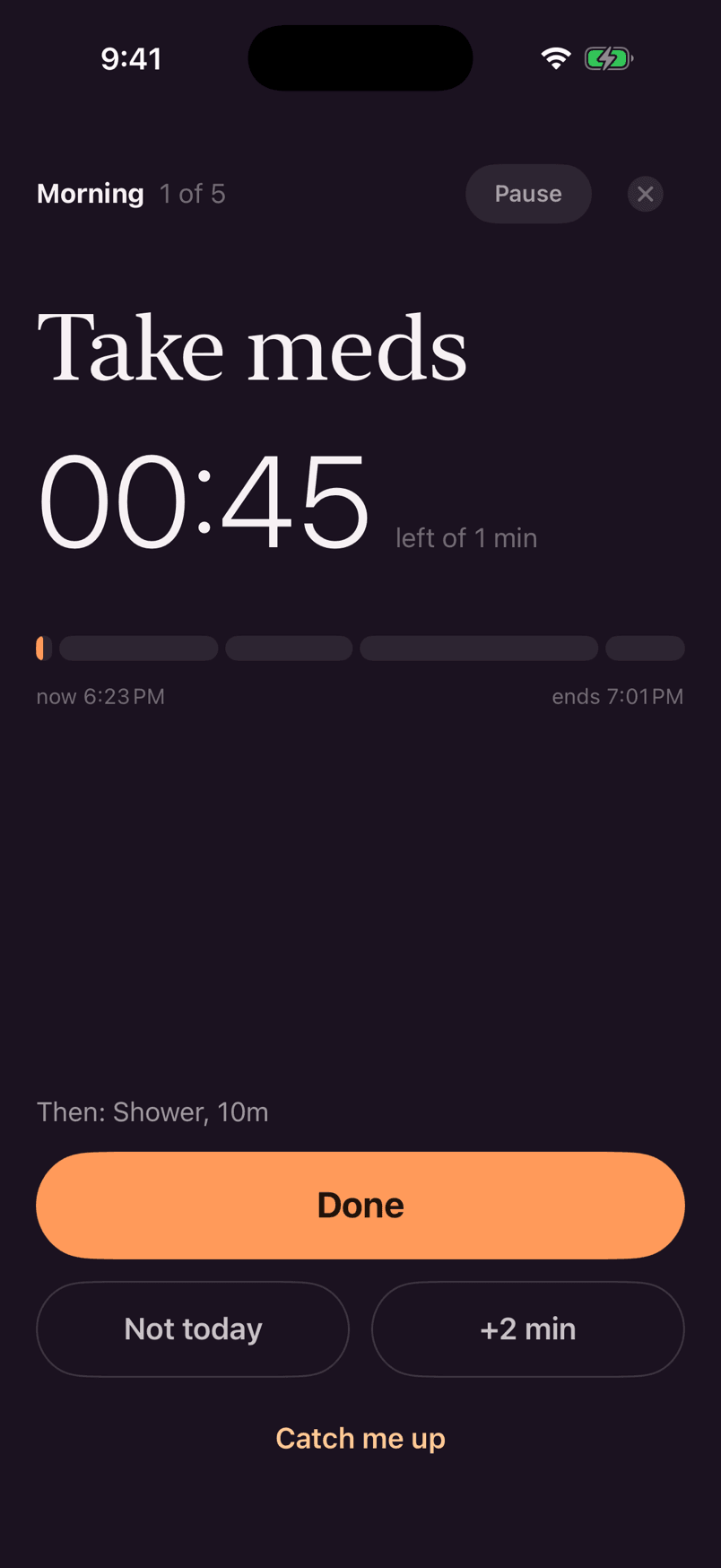
One step, big and calm
The whole run, distilled to the thing you’re doing right now.
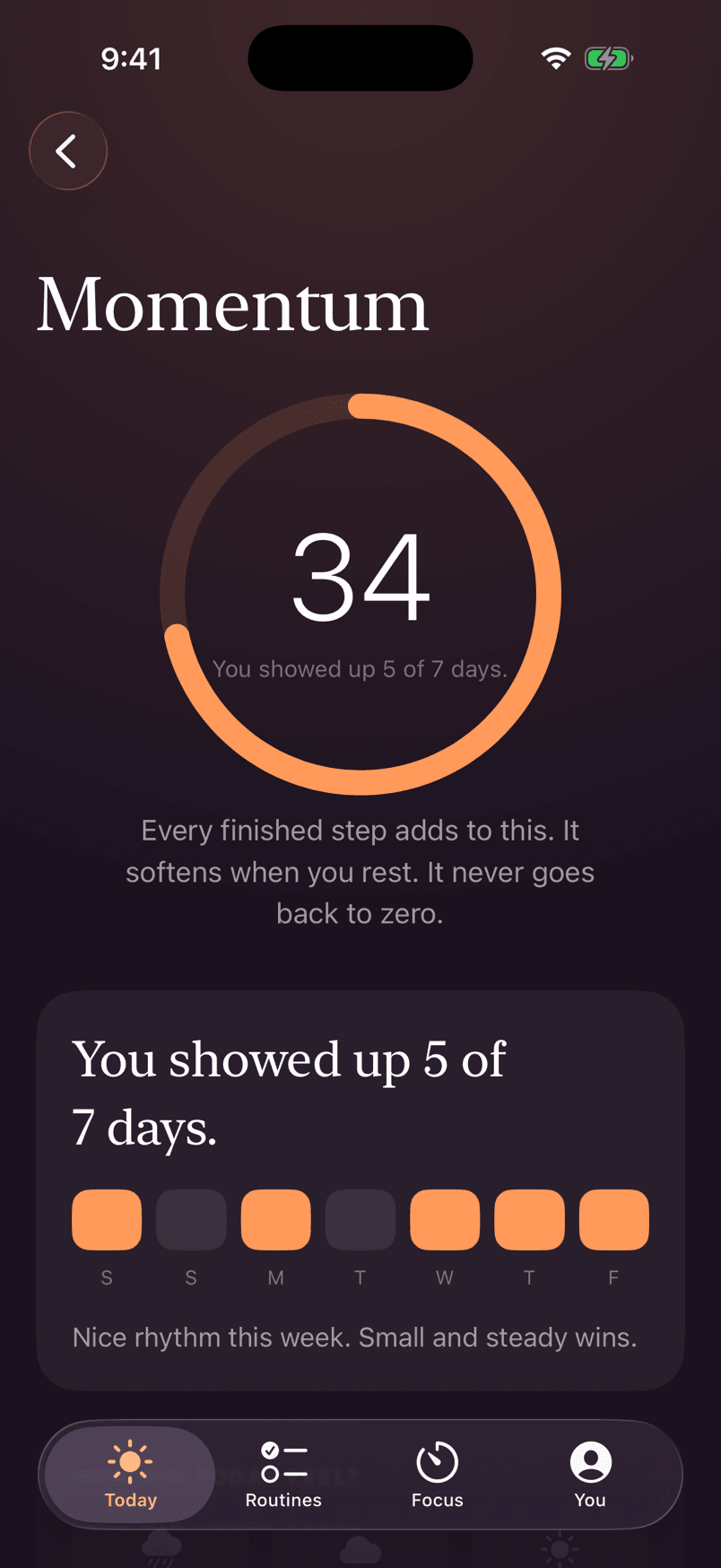
Progress without punishment
Momentum drifts, tops back up, and never goes back to zero.
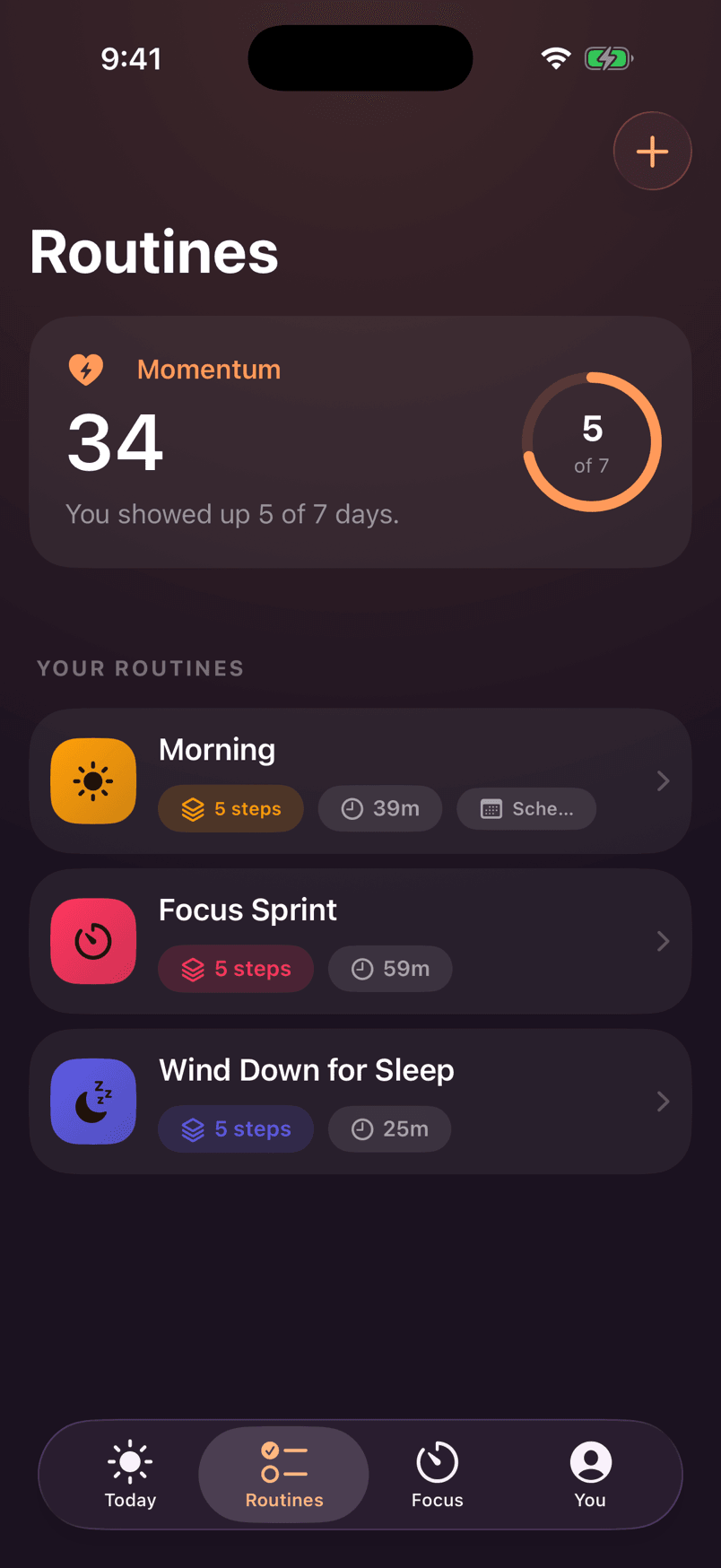
A few small anchors
Morning, focus, wind-down — the whole day, gently shaped.
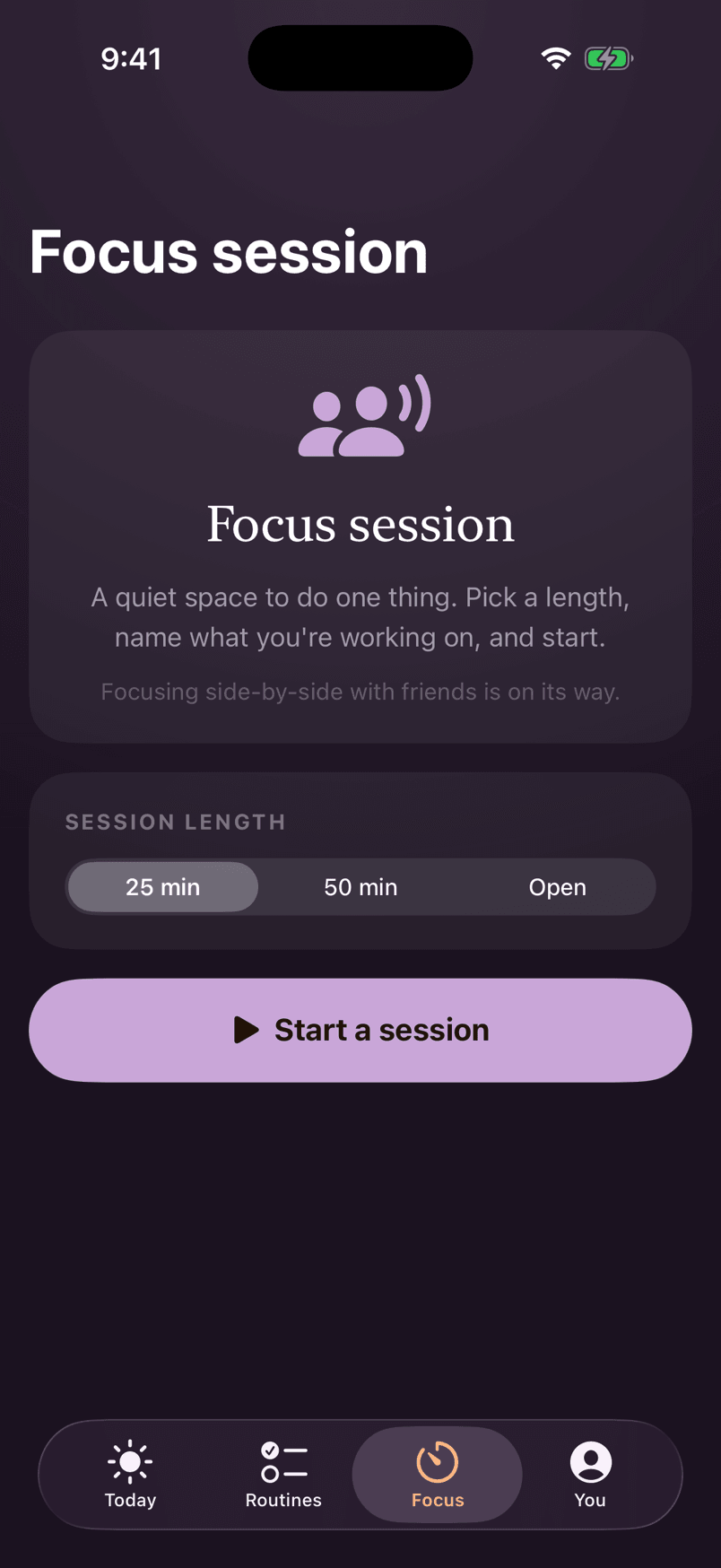
A quiet space to do one thing
25 or 50 minutes, a gentle finish, zero surveillance.
iPhone · iPad · Mac
The clock doesn't wait for you to open an app — so the timer follows you to the Lock Screen, the Home Screen, and the Mac menu bar.
The current step and its timer, right on the Lock Screen and Dynamic Island.
Your momentum and the step you're on, one glance away.
A quiet companion on your Mac that mirrors the running step and timer.
Connect your calendar (optional) and get a “get ready” run that finishes before your next appointment.
The founding dark look, a warm paper light mode, or match the system.
Dynamic Type, VoiceOver labels in the same warm voice, and full Reduce Motion support.
Private by architecture
RoutineAnchor runs no servers. Your routines, momentum, parked thoughts, and moods stay on your device and in your own iCloud — encrypted by Apple, unreadable by us. There is nothing to sell, and we like it that way.
Read the whole privacy policyFree & Pro
The free version is genuinely useful and yours forever. Pro unlocks the rest whenever you're ready — no pressure.
$0 forever
Yours to keep — not a trial that quietly expires.
Monthly
$6.99
per month
Yearly
$44.99
per year
Best value
Lifetime
$79.99
once, yours for good
No subscription
Subscriptions start with a 7-day free trial and cancel anytime. Lifetime is a single purchase — no subscription, ever. Prices in USD — the App Store shows your local price.
Questions
RoutineAnchor is on the App Store now — free to download, and the free version is yours to keep. Any App Store badge on this page takes you straight there.
No. There is no RoutineAnchor account, login, or password — the app is fully functional offline from the first launch.
On your device, and — if you're signed into iCloud — mirrored to your own private iCloud database. We run no servers, use no analytics, and can't read your routines. The privacy policy has the full picture.
Everyone gets three runs where auto-compression genuinely rescues a late start, free — so you can feel the app's signature move before deciding on Pro. A rescue is only used when compression actually engages, never just because a routine has a finish-by time.
Focus sessions are a quiet solo space today, and they're honest about it. Focusing side-by-side with friends is on its way — we never advertise what hasn't been proven end-to-end, so the copy changes the day it ships, not a day sooner.
Sign into the same Apple Account on the new device, install RoutineAnchor, and give it a moment — everything drifts back through your own iCloud. Nothing to export, no password to remember.
Your choice. Monthly and yearly plans start with a 7-day free trial and cancel anytime — or buy Lifetime once and never think about it again. Purchases are handled by Apple, with Restore Purchases built in.
Routines that flex when life does — one calm step at a time, with momentum that never resets to zero.